


EventLive - Live Stream Events
4.7109.00 Reviews
App Specs
- Version
- 4.3.1
- Updated On
- License
- Free
- Downloads
- 50,000+
- Developer
- EventLive Pro
- Categories
- Events
- Platform
- Android, iOS
Screenshots
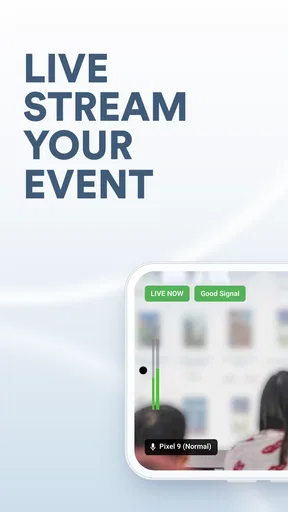
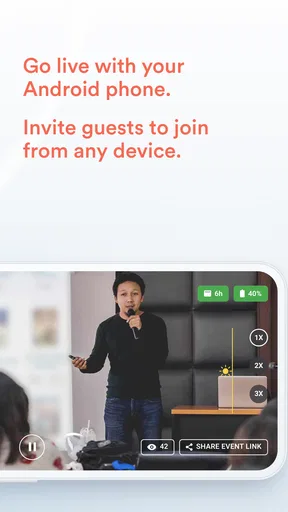
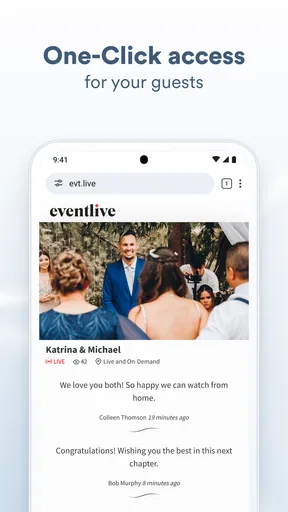
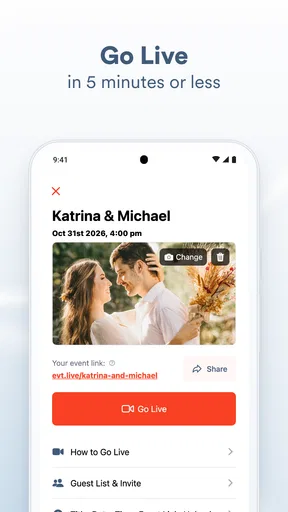
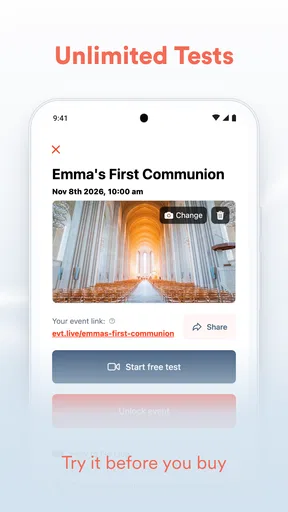
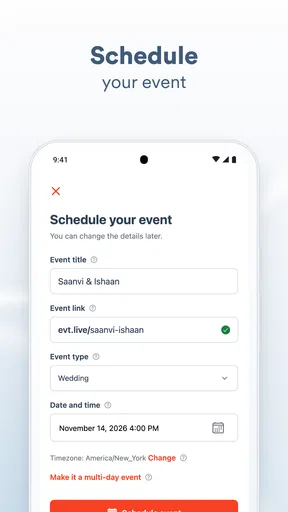
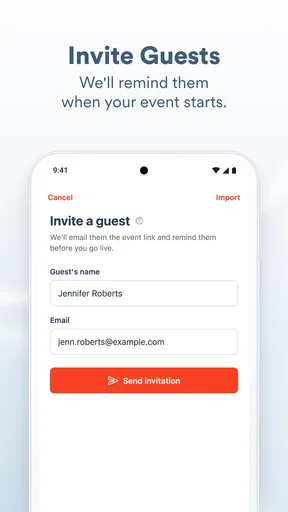
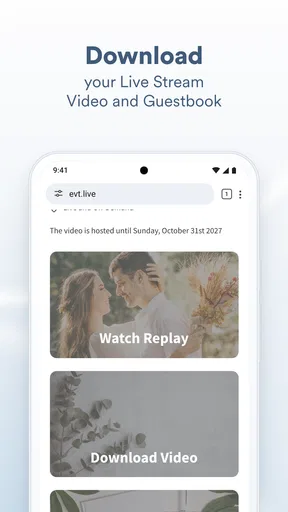
 Analysis by AppCompare
When a family member cannot travel to a wedding, memorial, or other important gathering, a simple live video can make the day feel less distant. EventLive is an events app from EventLive Pro built around that need: sharing a private occasion with people who cannot attend in person. I see its appeal less as a general-purpose broadcasting tool and more as a way to let absent guests follow a meaningful moment without turning the event into a public show.
Where setup can feel less simple than it looks
The basic idea is easy to understand, but preparing a stream is not quite the same as pressing a button once everyone is seated. An organizer has to think about the viewing audience, the phone’s position, the available connection, and who will handle the device while the event is underway. Those practical choices matter more than a long feature list when the occasion cannot simply be repeated.
Before inviting guests, I would walk through the planned viewing experience from their point of view. Make sure the people who need access know where and when to watch, and give them clear instructions in advance. A relative joining from another time zone, someone unfamiliar with event apps, or a guest who is not especially comfortable with technology may need more than a last-minute message. That small bit of preparation can prevent the organizer from spending a private moment troubleshooting individual viewers.
There is also a useful distinction between a private stream and a private gathering. Streaming can help people participate remotely, but it does not replace the feeling of being in the room, and it can change how the event feels to those who are there. I would tell attendees what is being streamed and choose a camera position that respects the occasion rather than treating every moment as something to broadcast. For a memorial or funeral, that sensitivity is especially important.
Checks I would make before the event begins
EventLive is free to download, and its age rating is Everyone, but that does not mean every streaming setup is automatically effortless. I would check the phone’s battery, make sure the device has enough room to sit steadily, and test the internet connection in the actual place where the event will happen. A connection that works well at home may behave differently in a crowded venue, so a short rehearsal in the same location is more useful than assuming the signal will be fine.
Think about sound as carefully as the picture. A phone placed far from the speaker may show the ceremony clearly while making the words hard to hear. For a wedding, that could mean missing vows; at a memorial, it could mean losing the speech that remote family members most wanted to hear. I would avoid placing the device where guests will block it, and I would ask someone who is not taking part in the key moment to keep an eye on the stream.
It is also worth agreeing on a backup plan before the day. That does not require elaborate equipment: it can simply mean knowing who will tell remote viewers if the broadcast is delayed, or deciding whether to continue later if the connection drops. The important point is to avoid making the person responsible for the stream invent a plan while everyone else is waiting.
Worth Reading Before You Choose

Flipboard Shows What News Apps Must Do Beyond the Feed

Switching to Android Auto Means Rethinking Your Driving Routine

Google Calendar Makes a Crowded Week Easier to Manage

Ludo King Makes the Most of the Minutes Between Plans

Baby Panda World Brings Quick Play to Modern Phones, but Its Game Library Feels Busy

ESPN’s Live Game View Makes Following Close Games Easier
Recovering calmly when something goes wrong
If a viewer says they cannot watch, I would first separate an access problem from a broadcast problem. Ask whether other invited viewers can see the stream, and have the affected person check their own connection and reopen the viewing instructions. If several people report the same issue at once, the organizer can focus on the event-side setup rather than trying to solve each viewer’s device separately.
If the picture freezes or the sound becomes unreliable, resist the urge to make several changes at once. Check that the phone has not shifted, confirm that it still has a usable connection, and let the person managing the stream make one adjustment at a time. A quick, calm message to remote guests can be more reassuring than silence while they wonder whether the event has ended.
For a high-stakes occasion, I would not make the only copy of an important moment depend on a live stream. EventLive is intended to help people watch remotely, but a live broadcast and a recording are different needs. If preserving the ceremony matters, arrange a separate way to capture it rather than assuming that live viewing alone will serve as a lasting record.
When the app is not the cause
Streaming quality depends on more than the app. Weak or inconsistent internet, a phone placed too far from the action, background noise, and a device being handled at the wrong moment can all affect what viewers experience. When a stream disappoints, it is tempting to blame the software immediately, but checking the setting and the way the phone is being used can reveal a simpler cause.
The person running the broadcast also has a limited amount of attention. They may be managing guests, helping with the ceremony, and watching the screen at the same time. For an event with important spoken moments, assigning one person to the stream is a practical improvement; expecting the couple, a speaker, or the closest family member to do everything at once is not. That division of responsibility is one of the easiest ways to make the experience less stressful.
Who benefits most, and what it replaces
I think EventLive is best suited to people who want a focused way to include distant guests in a private occasion. A small wedding, elopement, memorial, or funeral is a more natural fit than a public performance intended to attract a broad audience. In those situations, the value is not just that video is live; it is that the stream is meant to serve a defined group of people connected to the event.
Compared with a broad social platform, a private event service feels more appropriate when the audience should be limited and the occasion is personal. A general video meeting can be better if guests need to speak, see one another, or take part in a discussion. A simple video call is interactive, while a stream is more naturally suited to letting many people watch the same proceedings. I would choose according to whether remote guests are mainly observers or active participants.
For someone who only wants to show a casual get-together to a few friends, an existing social or messaging app may be less work. On the other hand, a public channel or open broadcast is a poor match for a sensitive family event if the priority is keeping the audience limited. The choice is not about which kind of app is universally best; it is about whether the event calls for private viewing, conversation, or public reach.
A realistic plan for the day
Imagine a relative who cannot travel to a family wedding. The organizer can settle the phone position before guests arrive, check the connection from that spot, and ask a trusted friend to manage the stream. They can then send the viewing details to the absent relative early enough to let them get ready, rather than trying to explain everything as the ceremony starts. This workflow reduces the chance that the person getting married has to troubleshoot a phone during the vows.
For a memorial, I would take a different approach to placement and communication. The camera should not intrude on mourners, and someone should decide in advance which part of the service is appropriate to share. A private stream can help distant family feel included, but it should be handled with care and with the expectations of people in the room in mind. That is a human decision, not a setting an app can make on the organizer’s behalf.
One non-obvious trade-off is that a more stable, carefully chosen camera position may matter more than trying to follow every person around the room. Movement can make a phone harder to manage and distract from the event. For a ceremony with a clear focal point, a steady view that captures the important action is often kinder to remote viewers than constant repositioning.
What the price and app details mean in practice
The app is free to download, but it also offers in-app purchases ranging from $24.99 to $999.99 per item. I would check the available purchase details in the app before choosing a plan, especially if you are arranging a one-time event and have a firm budget. The download price alone does not tell you what a particular event setup will cost, so it is sensible to understand the purchase that matches your needs before making arrangements with guests.
EventLive has a 4.7 average from over 600 ratings, with more than 100 written reviews, and has been installed over 50,000 times. Those figures suggest that it has found an audience, but they cannot predict how it will perform in a particular venue or on a particular connection. I would treat ratings as background reassurance, not a replacement for a test in the place where the event will happen.
The app was released in 2019, and its current version is 4.2.6. It runs on Android 7.0 or later. If you are planning to use an older phone, check that it meets that requirement well ahead of the event; discovering a compatibility issue on the day is an avoidable source of stress.
As an events app developed by EventLive Pro, it has a specific purpose rather than trying to cover every kind of video communication. That focus is useful when you want remote relatives to watch a private gathering, but it also means I would not choose it automatically for a meeting, a collaborative online event, or a public creator broadcast. The best fit depends on what viewers are expected to do.
First Impressions and Setup
Okay, so first things first—getting started with EventLive is a breeze. You don’t need to be a tech wizard to set it up, which is a relief. Trust me, I’ve had my fair share of apps that require a PhD in computer science just to get past the login screen. But not here! The user interface is clean and intuitive. It’s like the app is holding your hand, guiding you step-by-step through the setup process.
You just download the app, create an account, and boom—you’re in. No unnecessary hoops to jump through. It’s straightforward, and frankly, that’s what anyone wants from an app, right?
Features That Stand Out
Now, let’s talk features. With EventLive, you get to stream events in real-time, and the quality is surprisingly crisp. I mean, we’re talking HD quality here, folks. Your viewers will feel like they’re right there with you. And the best part? There’s no lag. Seriously, you won’t be left cringing while your friends are watching a slideshow instead of a live event.
Another feature I love is the private streaming option. Sometimes, you just want to keep things intimate, you know? You can choose who gets to see your stream, which is perfect for private events like weddings or exclusive shows.
Usability and Performance
Using EventLive feels like a walk in the park. It’s not clunky or buggy, which is a huge win in my book. The developers clearly put a lot of thought into making the app smooth and efficient. Switching between features is seamless, and the app doesn’t crash mid-broadcast—something I’ve unfortunately experienced with other apps.
Battery drain is minimal, which is a relief because, let’s face it, nobody wants their phone dying mid-event. The app is optimized to handle long streams without turning your phone into a hot brick.
Why Choose EventLive?
So, why should you choose EventLive over other streaming apps? Well, for starters, it’s reliable. No one wants an app that works sporadically. Plus, the quality of the stream is top-notch, and the privacy options give you control over who views your content.
The app's customer support is also worth mentioning. They’re quick to respond and genuinely helpful. It feels like they actually care about giving you the best experience possible.
Final Thoughts
At the end of the day, EventLive does exactly what it promises—it brings your events to life for those who can’t be there in person. It’s simple, effective, and reliable. If you’re looking to share your special moments live, without any of the usual tech headaches, this app is definitely worth a shot.
So, next time you’re planning an event, whether it’s a concert, wedding, or any other special occasion, give EventLive a try. Trust me, you won’t be disappointed.
Pros
- User-friendly interface for easy navigation.
- High-quality streaming with minimal lag.
- Customizable event pages enhance branding.
- Supports multiple devices for accessibility.
- Integrated chat for real-time interaction.
Cons
- Limited free version features.
- Requires stable internet for best performance.
- Occasional glitches with older devices.
- Some features locked behind paywall.
- Setup can be complex for beginners.
FAQs for EventLive - Live Stream Events
What is EventLive used for?
EventLive is designed for streaming live events, allowing users to broadcast weddings, conferences, or other special occasions to a remote audience. It offers a user-friendly interface that makes it easy to set up and share your event with attendees who can’t be there in person.
How can I invite people to watch my live stream on EventLive?
Inviting attendees is simple with EventLive. You can send invitations via email or share a unique link directly through messaging apps or social media. This ensures that your audience can access the live stream easily without needing to download any additional software.
Is EventLive available on both Android and iOS?
Yes, EventLive is available for both Android and iOS devices. This cross-platform compatibility ensures that users can stream their events from virtually any smartphone or tablet, making it accessible for a wide range of users and their guests.
Do I need any special equipment to use EventLive?
No special equipment is required to use EventLive. All you need is a smartphone or tablet with a camera and a stable internet connection. However, for enhanced video quality, you might consider using an external microphone or camera stabilizer.
Is there a cost associated with using EventLive?
EventLive offers a variety of pricing plans based on your needs. There may be a free version with basic features, but for advanced options like higher video quality or longer streaming durations, you might need to consider a paid subscription. Always check the app's pricing details before downloading.


